Accessibility Annotations
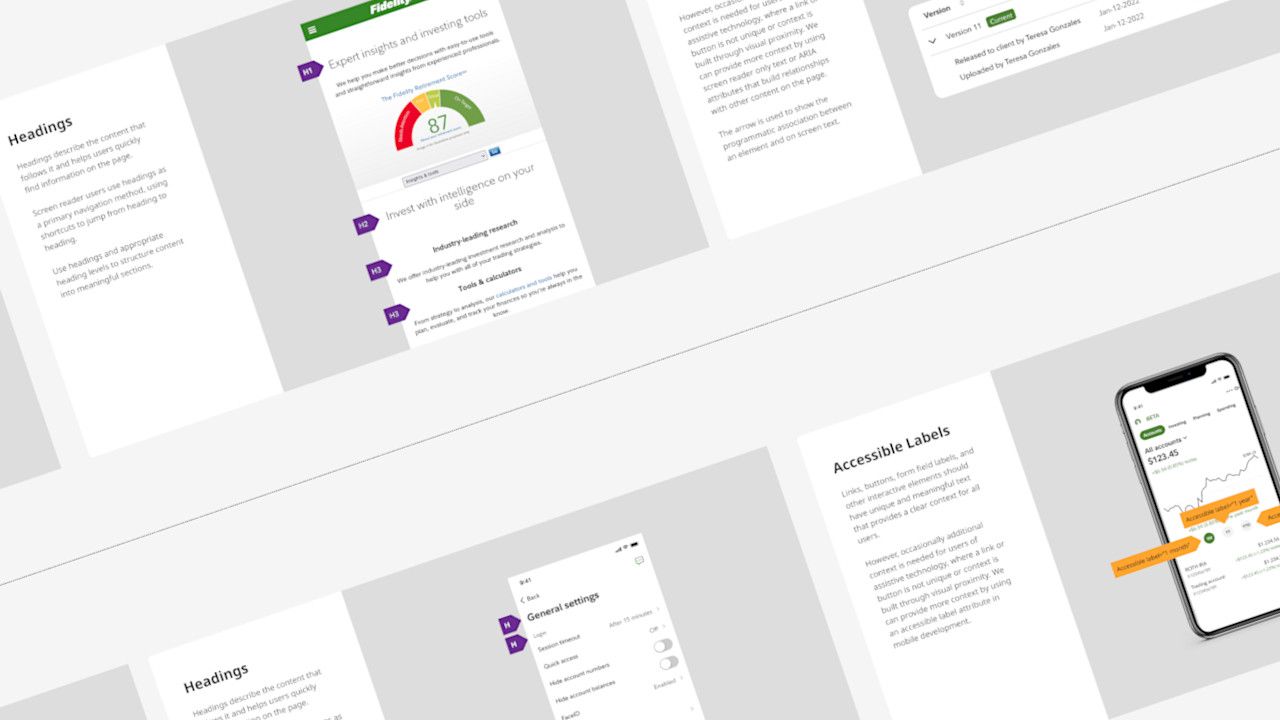
Implementing an Accessibility Annotations Framework in Figma
Impact: Reduced design-related accessibility defects by 45% and cut engineering clarification time by 6 hours per sprint across 80+ designers at Fidelity Investments.
Role: Principal Accessibility Designer/Initiative Lead | Timeline: 8 months | Team: Partnership with UX Designer
View: Figma Annotation Library
The Challenge
Engineers were making “best guesses” about accessibility requirements during design handoffs, resulting in focus mismanagement, inappropriate ARIA roles, and missing keyboard navigation. With 80+ designers shipping to hundreds of products, these systematic gaps were creating technical debt and compliance risk.
My Approach
I led discovery research with 10+ designers and 6 engineers to identify the root cause: both groups wanted clearer communication but lacked a shared system. I designed a comprehensive annotation framework that would integrate into existing Figma workflows and created a training program to support adoption.
Research → Design → Pilot → Rollout: Conducted stakeholder interviews, developed 15 annotation patterns covering focus order, ARIA attributes, and keyboard navigation, tested with 3 pilot teams, then launched to all designers through workshops and office hours.
The Solution
A standardized Figma-based annotation system with 15 patterns that communicate focus order, ARIA requirements, component structure, and interaction states. Each annotation includes visual indicators, descriptive labels, and implementation guidelines—no additional tools required.
Impact & Outcomes
- 45% reduction in design-related accessibility defects
- 4 hours saved per sprint on engineering clarification (8 hours → 2 hours)
- 50% decrease in accessibility questions during office hours
- 70% adoption across design team within 3 months
- Established as standard practice in design system governance
Key Insight
Designers learned accessibility principles through using annotations rather than requiring extensive upfront training. By embedding education into the workflow, we achieved faster adoption and deeper retention—the annotations became both a communication tool and a learning scaffold.